In development — a preview build you can install today

Mail, calendar and contacts. One platform you run.

ZephyrAB hosts mail for your own domain, or for thousands of other people's. It is written in Rust. You keep your own encryption keys, you choose the AI model, and the authentication that decides inbox-or-spam is set up for you.

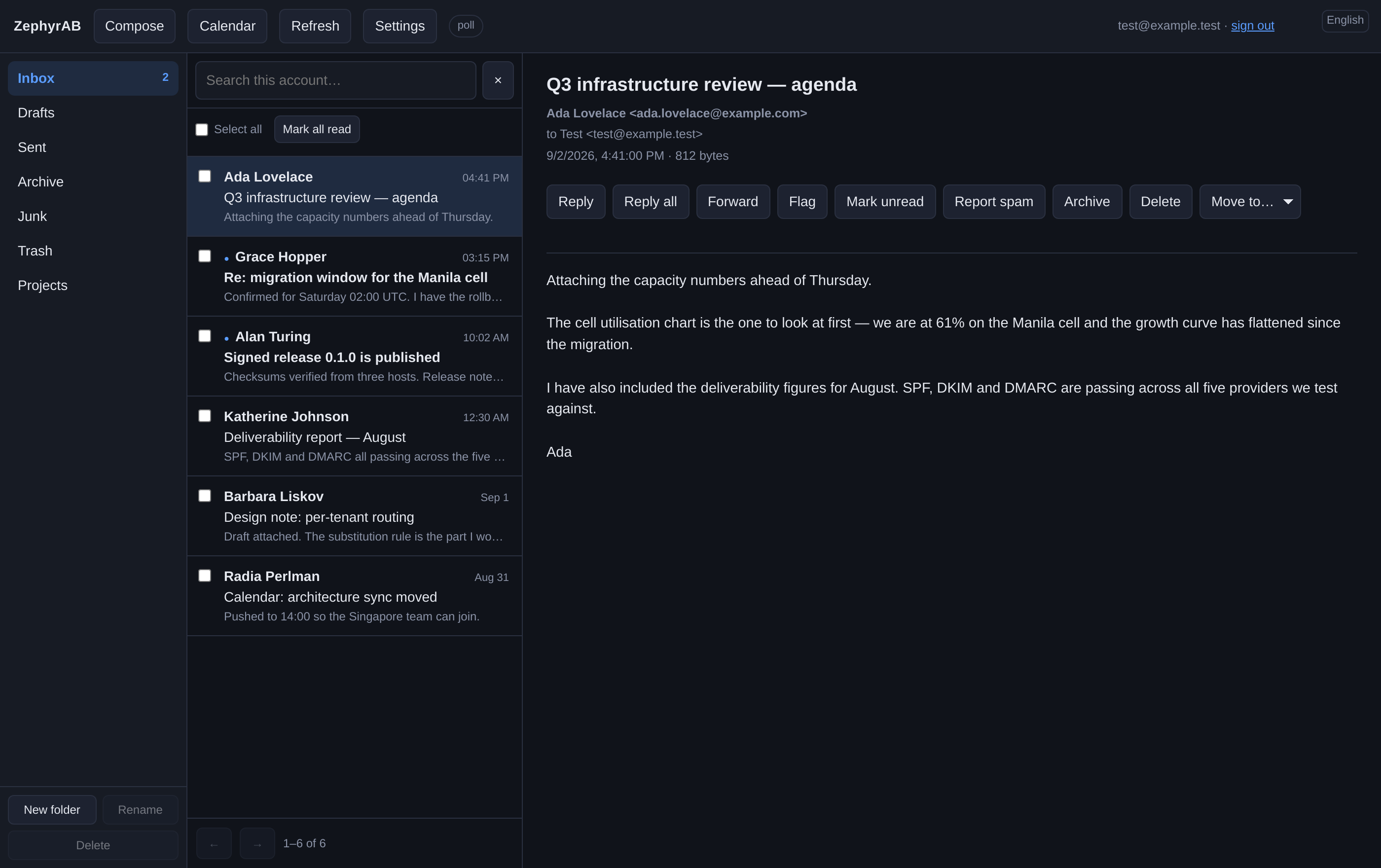
The ZephyrAB webmail client showing a mailbox list on the left, a message list in the middle and an open message on the right.
1M
Mailboxes held in one tested cell
Zero
Messages lost in a 171M-message test
Yours
Encryption keys, if you opt in
Rust
Memory-safe mail parsing

The platform

What it does

Each part below says what it does, and then why that matters to you.

Encryption keys you hold

Turn it on and every message is encrypted to your key as it arrives (OpenPGP or S/MIME). We store text we cannot read. Your private key never reaches us.

Why: a break-in or a curious administrator should not be able to read your mail. Worth knowing before you turn it on: subjects and addresses stay readable, because that is how encrypted mail works.

AI you choose the model for

Sorting and draft replies run on a model you pick: one on your own hardware, or your own account with a provider. In browser-direct mode the request goes from your browser to your model and never through us.

Why: AI should not mean handing your inbox to a company you did not choose. It is off until you configure it, and a draft is never sent for you.

Set up to prove your mail is yours

Your mail is signed and published so receivers can check it really came from you (DKIM, SPF, DMARC and ARC), and travels encrypted between servers (MTA-STS and DANE). It is configured for you, not left as homework.

Why: getting this wrong is the usual reason mail lands in spam. Getting it right is necessary but not sufficient — see what we can and cannot promise about reaching the inbox.

We can run your DNS

Point your domain's nameservers at ZephyrAB. We then create, sign and keep up to date every record mail needs — MX, SPF, DKIM, DMARC, MTA-STS, DANE, and the records mail apps read to configure themselves.

Why: hand-editing DNS is where most mail setups go wrong. Two things stay at your registrar: pointing the nameservers at us, and one DS record if you want DNSSEC checked.

Big files go as links

An attachment over the size you set becomes a download link instead. A link can have a password, expires on its own, can be revoked, and records every download attempt.

Why: large attachments bounce, fill up mailboxes and get blocked. A link arrives. Signed or encrypted mail is left alone, because rewriting it would break the signature.

Stolen accounts get locked

Outgoing mail is scanned for malware. An account that suddenly sends far more than it should is locked automatically, before it can do damage.

Why: one stolen password can get a whole platform blocklisted, so the lock cannot wait for someone to notice. Guided clean-up and a staged return to full sending rate are still being built.

Move in without losing anything

Import from any IMAP server — Gmail, Microsoft 365, mailcow, Dovecot — including the ones that need OAuth. Every message, flag and folder comes across. A second pass then re-reads both servers and compares them message by message, so the copy is checked rather than assumed. Your old mailbox is only ever read, and the import is slowed down so that server stays usable.

Why: people stay with a provider they have outgrown because they are afraid of losing ten years of mail. While you decide, we can deliver to both systems at once, and switch back if you change your mind.

Calendar and contacts

Calendars and address books over CalDAV and CardDAV, so Apple Calendar, Thunderbird and Android apps connect without a plugin. Meeting invitations work both ways with Google, Microsoft and Apple.

Why: mail does not live alone, and open standards mean your calendar is not stuck inside one company's app. Sharing a calendar with a colleague, and a files area, are not built yet.

Grows by adding hardware

Capacity comes in units called cells. You add a cell rather than re-tune the one you have. One cell has been tested holding a million mailboxes and 1,900 messages a second for a day.

Why: platforms that cannot grow hit a wall and get rewritten. Ten million mailboxes is the design ceiling; one million is what has actually been measured, and the roadmap keeps the two apart.
What it looks like

The client, the calendar and the console

All three ship with the platform. Nothing here is a mock-up — these are screenshots of the software, taken from the same test fixtures the browser test suite runs against.

Webmail

A mail client, not a demo.

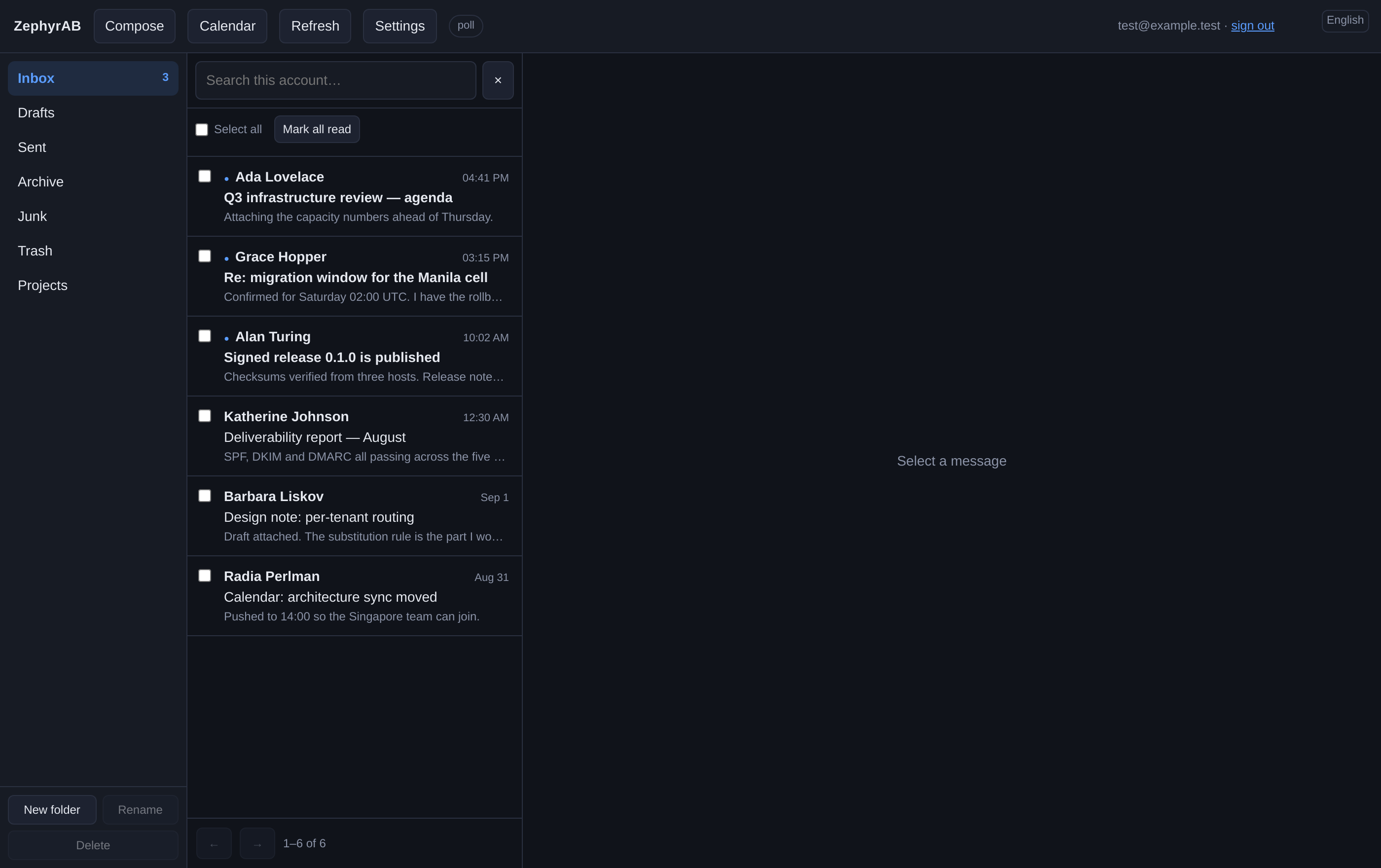
Threading, search across message bodies, folders, attachments, and a message view that renders HTML mail in a sandbox that cannot run scripts or reach the network until you say so.

  • Reads and writes over JMAP — the same API your own scripts can use
  • Works in English and Arabic, right to left, and is tested against WCAG 2.1 AA
  • Your password is never stored in the browser; closing the tab signs you out
The webmail message list, showing threaded conversations with senders, subjects and dates.

Calendar

Invitations that actually work.

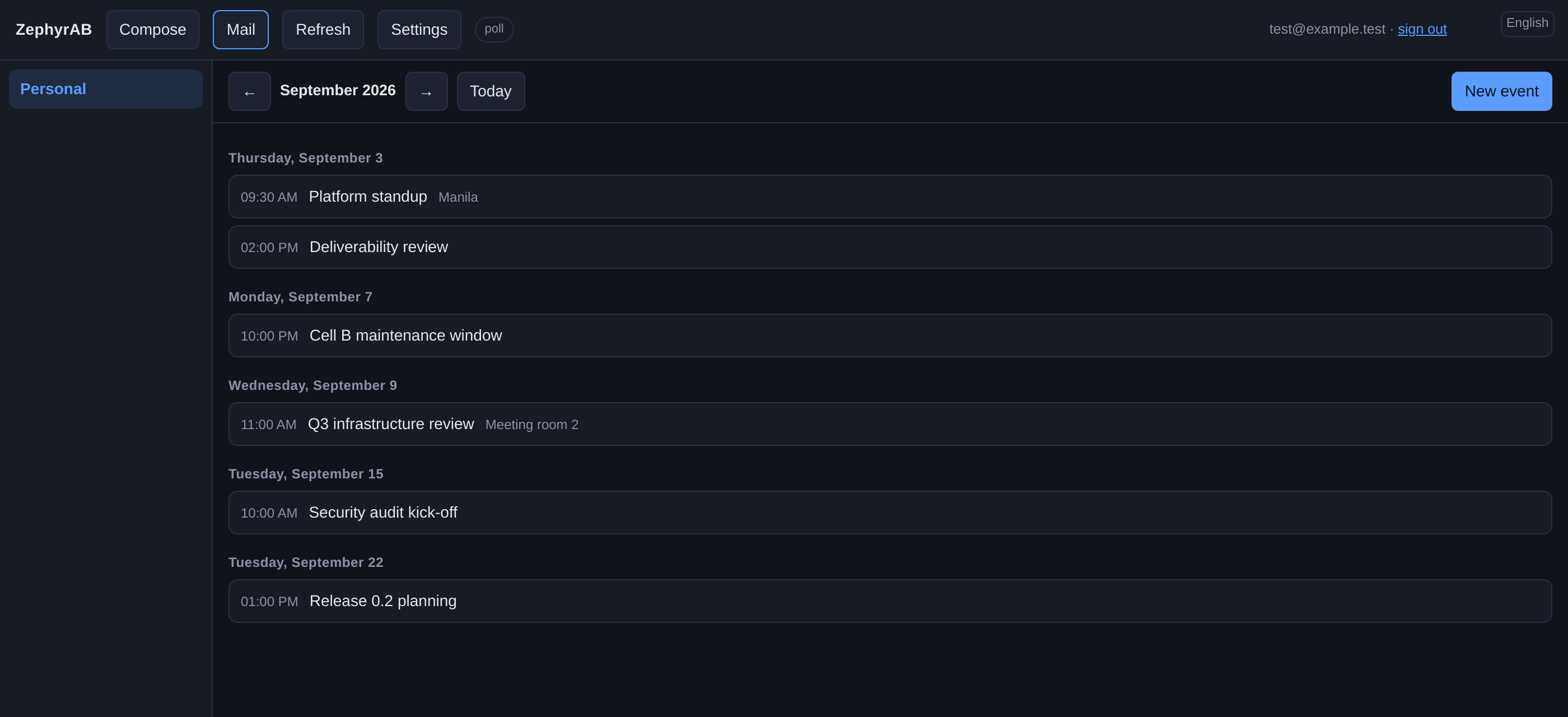
Calendars and address books over CalDAV and CardDAV, so Apple Calendar, Thunderbird and Android connect without a plugin. Meeting invitations have been proven in both directions against Google, Microsoft and Apple.

  • Server-side scheduling, so an Apple client shows Accept and Decline rather than an attachment
  • Free/busy lookup that answers within your organisation and refuses outside it
  • Time zones resolved from the calendar data, not guessed from the server clock
The calendar view in the webmail client, listing upcoming events by day.

Administration

One console for everything you operate.

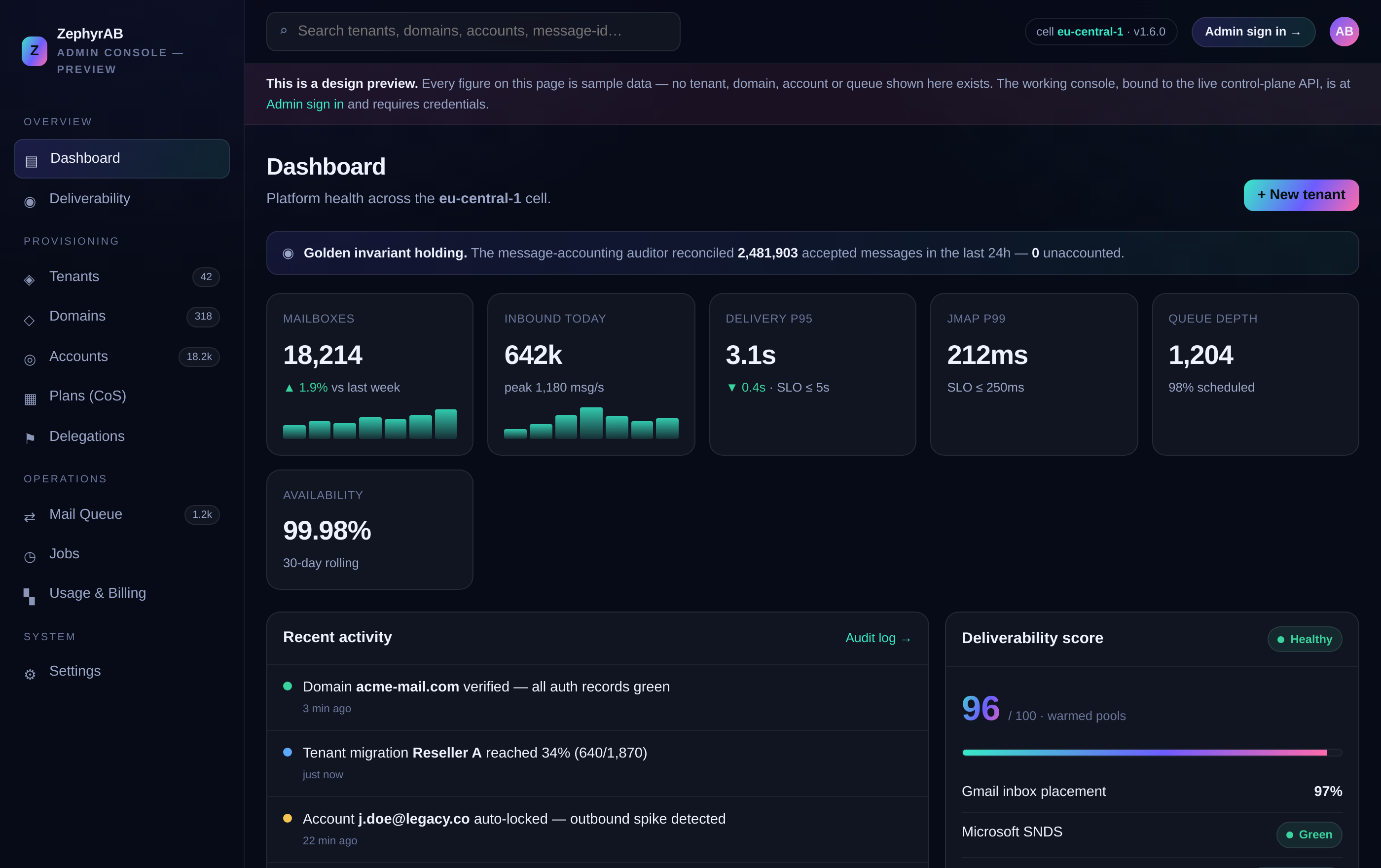
Tenants, domains, accounts, DNS records, the outbound queue, deliverability reports and the platform's own health — in one place, with permissions that can be handed to one domain's administrator without giving away the platform.

  • Every action is also an API call, documented and versioned
  • Roles are bound to a subject: a domain administrator sees one domain
  • DNS records are checked against what is actually published, not what we intended

Open the console demo

The administration console showing the platform overview with tenants, domains and accounts.

Privacy

Your mailbox. Your keys.

Most providers encrypt your mail with keys they hold. That means they can read it, and so can anyone who breaks in. ZephyrAB can be set up so that we cannot. It is per-account and off until you turn it on.

  • Messages are encrypted to your public key as they arrive — we store text we cannot read
  • Your private key never reaches our servers. There is no copy here to steal or to subpoena
  • Mail that arrived already signed stays byte for byte as it was, so the signature still checks out
  • Subjects and addresses stay readable — that is how encrypted mail works, and you should know it before you switch this on

AI

AI that answers to you.

ZephyrAB can sort your mail and draft replies. It does that with a model you choose, not one we chose for you — and it does nothing at all until you set one up.

  • Run a model on your own hardware, or use your own account with a provider
  • In browser-direct mode the request goes straight from your browser to your model, and never passes through us
  • For an encrypted mailbox, sorting runs in a client that holds your key — the server cannot read the message and does not try
  • Nothing waits on the model. If it is slow or down, your mail still arrives, and a draft is never sent for you

Reaching the inbox

What we can and cannot promise.

Two separate things decide whether your mail arrives: whether it is set up correctly, and whether the receiving provider trusts you yet. We can build the first. The second is reputation, and it is earned — a brand-new domain starts in the spam folder at some large providers and works its way out over weeks of real sending. Anyone who tells you otherwise is selling something.

  • DKIM signing, SPF, DMARC and ARC on every message, with nothing for you to configure
  • MTA-STS and DANE, so mail between servers is encrypted and cannot be quietly redirected
  • Blocklist checks, DMARC and TLS reports and delivery probes, so you can watch your reputation build instead of guessing
  • Every message we accept ends somewhere you can see — delivered, bounced or quarantined — and a separate auditor checks that none are stuck in between

Where we are

Nothing counts as done without evidence

Every milestone below has to be proved before it is marked complete — real tests, real load, real mail clients. We publish the results, including the runs that failed.

Latest · 14 August 2026 UTC

The endurance run passed. One cell holding a million mailboxes took 1,900 messages a second for 24.7 hours, with 200,000 client connections open the whole time. Nineteen messages in twenty were delivered within 0.35 seconds; at its worst that figure was 0.74 seconds, against a target of five. 170,997,245 messages accepted, 170,997,245 delivered. Nothing lost, no database recoveries, no failed deliveries. That was the last open question about scale — here is the full result, including the memory measurement we got wrong the first time.

Complete · 100%

Foundations

The durable core: content-addressed storage, transactional metadata, and end-to-end tracing — with a working skeleton proving mail flows in and out intact. (3 of 3 checks passed)

Complete · 100%

Core Mail Engine

The full mail engine: ESMTP in and out, IMAP with live push and fast resync, POP3, JMAP, Sieve filtering, and SPF/DKIM/DMARC/ARC authentication — proven against real clients and real providers. (8 of 8 checks passed)

Complete · 100%

Scale & Durability

One cell carrying a million mailboxes at target load, and the guarantee that no accepted message is ever lost — verified by killing database nodes while mail is flowing. (8 of 8 checks passed)

Complete · 100%

Security Baseline

Continuous fuzzing of every parser that touches untrusted input, a published TLS posture, cross-tenant isolation tests, and a written threat model. (4 of 4 checks passed)

Complete · 100%

Groupware

Calendar and contacts: CalDAV, CardDAV, meeting invitations that work with Google, Apple and Microsoft, and free/busy lookup. (3 of 3 checks passed)

Complete · 100%

Migration & Backup

Moving in from another provider without losing a message or a flag, and getting any mailbox back to any point in time. (4 of 4 checks passed)

Complete · 100%

Webmail & AI

Webmail, per-user encryption, and AI that classifies and drafts on your terms — your own model or ours, never a third party without your say-so. (6 of 6 checks passed)

In progress · 88%

Private Beta

We run our own mail on it, for a month, before anyone else has to. (3 of 4 checks passed, 1 partly)

In progress · 45%

Multi-cell & Operations

Multiple cells, regional failover, compliance tooling, and the operational maturity to run this as a service. (4 of 11 checks passed, 2 partly)

In progress · 5%

GA & Beyond

The launch checklist, an independent security audit, and then the features that come after. (0 of 11 checks passed, 1 partly)

Follow along

Try it, or watch it being built.

There is a preview build you can install today, and a roadmap that says plainly what is finished and what is not. If you want to hear when it is ready, or you have a question, write to us.